《Computer Engineering and Technology 1》Glossary
Advertisement
Access. To call up information out of storage
AI. See Artificial intelligence
Algorithm. A step-by-step procedure designed to solve a problem or achieve an objective
Alpha testing. First-stage testing of computer products, typically done in house by the developer. (Seealso Beta testing; Gamma testing.
Alphanumeric. Consisting of letters, numbers, and symbols
Antivirus software. A program designed to look for and destroy viruses that may infect the memory of a computer or files stored on a computer
Applet. A small application, that is, a program designed to perform a simple task. An applet is usually embedded within a larger program or downloaded from the Internet when needed
Application (or app). A program designed to perform information processing tasks for a specific purpose or activity (for example, desktop publishing and database management). (See also Applet; Killer app.
Archive. A file compressed for more efficient use of storage space. The compression of files may be accomplished by means of such programs as Stufflt
Artificial intelligence (AI). Computer systems that attempt to imitate human processes for analyzing and solving problems
Ascending sort. Sorting records from A to Z or 0 to 9. (See also Descending sort.
ASCII (pronounced as-kee). An acronym derived from American Standard Code for Information Interchange
ASCII is a standard 7-bit code that represents 128 characters. The use of this standard code permits computers made by different manufacturers to communicate with one another
B, b. B is the abbreviation of byte; b is the abbreviation of bit
Background printing. The ability of a computer to print a document while other work is being done on the keyboard and the display screen at the same time
Backup. Storage of duplicate files on disks, diskettes, or some other form of magnetic medium (such as tapes) as a safety measure in case the original medium is damaged or lost. (One word as a noun or an adjective: backup procedures; two words as a verb: back up your hard disk.
Bandwidth. The volume of information that a network can handle (usually expressed in bits per second). The greater the bandwidth, the more quickly data can be downloaded from the Internet or moved from a network to a user’s computer. The term bandwidth is now also used to refer to a person’s attention span (as in “Burt is a low-bandwidth kind of guy”) or a person’s ability to handle an assignment (as in “Sally lacks the bandwidth to do this job”). The question “How’s your bandwidth?” means “Are you busy?” Basic Input/Output System (BIOS). A set of programs stored in read-only memory (ROM) on IBM or IBM-compatible computers. These programs control the disk drives, the keyboard, and the display screen, and they handle start-up operations
BBS. See Bulletin board system
Beta testing. Second-stage testing of computer products, typically done by potential customers and outside experts to identify problems that need to be fixed before the product can be released for sale. (See also Alpha testing; Gamma Testing.
Binary code. The language used by computers in which data and instructions are represented by a series of 1s and 0s
Binary numbering system. A numbering system in which all numbers are represented by various combinations of the digits 0 and 1
BIOS. See Basic Input/Output System
Bit (b). An acronym derived from binary digit. The smallest unit of information that can be recognized by a computer. Bits are combined to represent characters. (See also Byte.
Bitmap. A method of storing a graphic image as a set of bits in a computer’s memory. To display the image on the screen, the computer converts the bits into pixels
Bits per second (bps). A measurement that describes the speed of data transmission between two pieces of equipment. (See also Transfer rate.
Advertisement
BlackBerry. A wireless palmtop computer that is especially helpful to business travelers. It permits users to send and receive e-mail and view other documents that they have on file. (See also Wi-Fi.
Blawg. See Blog
Bloatware. A program that uses an excessive amount of disk space and memory
Block. A segment of text that is selected so that it can be moved to another location or processed in some other way. (See also Block delete; Block move; Cut and paste.
Block delete. A command to delete (or erase) a segment of text
Block move. A command to reproduce a segment of text in another place and at the same time erase it from its original position. (See also Cut and paste.
Block protect. A command to prevent a page break from occurring within a block of text (for example, a table). (See also Orphan protection; Widow protection.
Blog. A blog (short for Web log) is an online diary in which an individual records and publishes his or her thoughts on one or more subjects. A blog devoted to legal matters is known as a blawg
Blogger. Someone who creates and maintains an online diary
Blogosphere. The complete set of blogs on the Internet
Bluetooth. A protocol that permits a wireless exchange of information between computers, cell phones, and other electronic devices within a radius of about 30 feet
Board. See Circuit board
Boilerplate. Standard wording (for example, sentences or paragraphs in form letters or clauses in legal documents) that is held in storage. When needed, it can be used as is, with minor modification, or in combination with new material to produce tailor-made documents
Bookmark list. See Favorites
Boot (short for bootstrap). To start a computer and load the operating system to prepare the computer to execute an application
Bozo filter. A program that screens out unwanted e-mail or other messages from individuals or organizations you no longer want to hear from
bps. See Bits per second
Bricks-and-clicks. Refers to a traditional business with a Web site. (See also Clicks-to-bricks.
Bricks-and-mortar. Refers to a traditional business that sells merchandise only in stores. (See also Clicks-and-mortar.
Brochureware. A product that is being actively marketed, even though the product is not yet (and may never be) ready for sale. (See also Vaporware.
Browser. See Web browser
Buffer. A holding area in memory that stores information temporarily. Also called cache
Bug. A software defect that causes a program to malfunction or cease to operate. Some writers now use bug to refer to hardware problems as well. (See also Debugging; Glitch.
Bulletin board system (BBS). An online information system, usually set up by an individual (called a system operator, or SYSOP) on a nonprofit basis for the enjoyment of other individuals with similar interests. (See also Internet.
Bundled software. Software that is sold along with a computer system; several software programs that are packaged together (also called software suites)
Burn. To record information on a disc such as a CD-R, a CD-RW, a DVD-R, or a DVD-RW
Bus. A pathway along which electronic signals travel between the components of a computer system
Button bar. See Toolbar
Byte (B). An acronym for binary term. The sequence of bits that represents a character. Each byte has 8 bits
Cache. See Buffer
Cancelbot (from cancel robot]. A program that detects spamming in newsgroups and automatically issues a cancel command. (See also Ham.
Card. See Circuit board; Adapter
Carpal tunnel syndrome. A wrist or hand injury caused by using a keyboard for long periods of time. A type of repetitive strain injury (RSI). (See also Mouse elbow.
Cathode-ray tube (CRT). See Display screen
Advertisement
CD-R. Compact disc-recordable
CD-ROM (pronounced cee-dee-rom). An acronym derived from compact disc-read-only memory. A form of optical storage. One compact disc can hold up to 250,000 text pages; it can also be used to store graphics, sound, and video. (See also DVD-ROM.
CD-RW. Compact disc-rewritable
Cell. A box or rectangle within a table or spreadsheet where a column and a row intersect; an area in which information can be entered in the form of text or figures
Central processing unit (CPU). The brains of an information processing system; the processing component that controls the interpretation and execution of instructions. (See also Motherboard.
Character. A single letter, figure, punctuation mark, or symbol produced by a keystroke on a computer
Each character is represented by a byte
Character set. The complete set of characters—alphabetic, numeric, and symbolic—displayable on a computer. (see also ASCII.
Character string. A specified sequence of typed characters, usually representing a word or phrase. A character string is often used to locate a particular word or phrase wherever it appears in a document so that it can be automatically replaced with another word or phrase. If a person’s name has been consistently misspelled or a date appears incorrectly in several places, the error can be easily corrected. (See also Search and replace.
Characters per inch (cpi). The number of characters in a fixed-pitch font that will fit within 1 inch
Characters per second (cps). The number of characters printed in 1 second; a measurement frequently used to describe the speed of a printer
Chat. A method of communication in which people type text messages to each other, thereby holding a conversation over a network such as the Internet. (See also Newsgroup.
Check box. A small box that appears onscreen alongside each option displayed in a dialog box. When an option is selected, an X or a check mark appears inside the box
Chip. An integrated circuit used in computers
Chip jewelry. An obsolete computer
Circuit board. A board or card that carries the necessary electronic components for a particular computer function (for example, memory). The circuit boards that come with the original equipment perform the standard functions identified with that type of equipment. Additional circuit boards expand the kinds of functions that the equipment can perform. Also called a board, a card, or an expansion board
Clear. A command to erase information
Click. To quickly press and release a mouse button once while the cursor (mouse pointer) is positioned over a specific item on the screen. (See also Double-click.
Clicks-and-mortar. Refers to a business that sells merchandise online as well as in stores. (See also Bricks-and-mortar.
Clicks-to-bricks. Refers to an Internet company that opens stores. (See also Bricks-and-clicks.
Client/server computing. A network of computers that consists of a file server (a computer that runs a database management system) and individual clients (computers that request and process data obtained from the file server)
Clipboard. A holding area in memory where information that has been copied or cut (text, graphics, sound, or video) can be stored until the information is inserted elsewhere. (See also Copy; Cut; Cut and paste.
Column. A vertical block of cells in a table or spreadsheet. (See also Row.
Command. An instruction that causes a program or computer to perform a function. A command may be given by means of a special keystroke (or series of keystrokes), or the command may be chosen from a menu
Commercial online service. See Internet service provider
Compatibility. The ability of one type of computer, device, data file, or program to share information or to communicate with another. (See also ASCII.
Computer. An electronic device that is capable of (1) accepting, storing, and logically manipulating data or text that is input and (2) processing and producing output (results or decisions) on the basis of stored programs of instructions. Some computers are also capable of processing graphics, video, and voice input. Most computers include a keyboard for text entry, a central processing unit, one or more disk drives, a display screen, and a printer—components referred to as hardware
Control menu. An onscreen Windows element that appears in a box in the upper left corner of a window. The control menu allows the user the option of adjusting the size of the window, closing or reopening the window, or switching to another window
Cookie. A small text file that a Web server stores on a user’s hard drive when the user visits certain Web sites. A cookie contains all the information that a user has to submit on a first visit to a particular Web site in order to gain access. When a user revisits that Web site, the cookie makes it unnecessary for the user to enter the same information all over again. The positive aspect of cookies is that they make it possible for users to take advantage of the convenient “shopping cart” feature of many Web sites. Unfortunately, cookies also make it possible for marketing organizations to monitor users’ browsing patterns; users then find themselves the targets of custom-tailored marketing campaigns
Copy. To reproduce information elsewhere. The original information remains in place. (See also Cut.
cpi. See Characters per inch
cps. See Characters per second
CPU. See Central processing unit
Cracker. The preferred term (rather than hacker) used to refer to a computer criminal who penetrates a computer to steal information or damage the program in some way
Crash. A malfunction in hardware or software that keeps a computer from functioning. (See also Bug; Glitch.
CRT. Cathode-ray tube. (See also Display screen.
Cursor. A special character (usually a blinking underline, dot, or vertical line) that indicates where the next typed character will appear on the display screen. Also known as the mouse pointer (arrow) or I-beam pointer. Microsoft Word refers to the cursor as the insertion point. (See also Prompt.
Cursor positioning. The movement of the cursor on the display screen. Most computers have four keys to control up, down, left, and right movement. Many computers also permit the use of a mouse to position the cursor
Cut. To remove text from its original location and place it on a clipboard. (See also Copy; Paste.
Cut and paste. To move a block of text from one place to another
Cyberspace. A realistic simulation of a three-dimensional world created by a computer system; also referred to as virtual reality. Now commonly used to refer to the world of the Internet as a whole
Cybersquatting. Registering a potentially valuable Internet address in the hope of selling it at a profit later on to an organization for which this address would be ideal
Cybrarian. The electronic equivalent of a librarian. A person who makes a career of online research and data retrieval
Data. Information consisting of letters, numbers, symbols, sound, or images—in a form that can be processed by a computer
Data compression. A procedure for reducing the volume of data so as to shorten the time needed to transfer the data or to reduce the amount of space needed to store the data
Database. A stored collection of information
Database management system (DBMS). The software needed to establish and maintain a database and manage the-stored information
DDE. See Dynamic data exchange
Dead-tree edition. The paper version of a publication available online
Debugging. Locating and eliminating defects in a program. (See also Bug.
Decimal tab. A type of tab that aligns columns of figures on the decimal point
Default settings. The preestablished settings (for margins, font, type size, tab stops, and so on) that a program will follow unless the user changes them
Delete. A command to erase information in storage
Denial of service (DoS) attack. A malicious act intended to shut down a Web site or a network by flooding it with too much information. Users who attempt to visit the site will be denied access
Descending sort. Sorting records from Z to A or 9 to 0. (See also Ascending sort.
Desktop. The electronic work area on a display screen
Desktop computer. A microcomputer that is bigger than a laptop
Desktop publishing (DTP). A system that processes the text and graphics and, by means of page layout software and a laser printer, produces high-quality pages suitable for printing or in-house reproduction
Dialog box. A message box on the screen that supplies information to—or requests information from— the user
Dictionary. A program used to check the spelling of each word entered in the computer
Digerati. A term referring to the elite group of intellectuals in the computer world (in the same way that literati refers to the elite group of intellectuals in the literary world)
Directory. A list of the files stored on a disk
Disc. A nonmagnetic storage medium that is used in conjunction with optical technology. (See also CD-ROM.
Disk. A random-access, magnetically coated storage medium used to store and retrieve information
(See also Diskette; Hard disk.
Disk drive. The component of a computer into which a disk is inserted so that it can be read or written on
Disk operating system. See DOS
Diskette. A small, nonrigid disk with limited storage capacity. Also known as a floppy disk
Display screen. A device similar to a television screen and used on a computer to display text and graphics. Also called a video display terminal (VDT) or a monitor
Distributed processing system. A form of a local area network in which each user has a fully functional computer but all users can share data and application software. The data and software are distributed among the linked computers and not stored in one central computer
Document. Any printed business communication—for example, a letter, memo, report, table, or form(See also File.
Documentation. The manuals or guides distributed with hardware or software
Domain. Typically, a three-letter element in a Web address or an e-mail address. The domain— commonly referred to as the zone—indicates the type of organization that owns the computer being identified in the address. For example, .com signifies a commercial organization; .edu signifies an educational institution. (See ¶1508b for a list of the most common domains.
DOS (pronounced dahs or doss). An acronym derived from disk operating system. The term refers to a program that allows the computer to manage the storage of information on disks and controls other aspects of a computer’s operation
DoS (pronounced dee-oh-ess). See Denial of service attack. (Note the differences in spelling and pronunciation between DOS and DoS.
Dot. The period symbol used in e-mail and Web addresses. Always referred to as a dot (never as a period). Thus the domain name aol.com would be pronounced ay-oh-ell-dot-com. Internet surfers who spend a lot of time in the .com domain are sometimes referred to as dot communists
Dot-com. An organization that sells its products or services on a Web site (with a URL endng in .com)
A dot-com that fails to stay in business is referred to as a dot-bomb
Dot matrix printer. A printer that uses pins to produce characters made up of small dots. This kind of printer is generally used by organizations that want to produce form letters or mailing labels economically
Advertisement
- In Serial38 Chapters

Reincarnation Station: Death, Cake and Friendship
All Fred wants is a chance to sing and dance on Broadway. This dream is looking increasingly unlikely, as he dies on the second page. Reincarnation Station is a tale of dubious taste and even more dubious humour. An absurdist exploration of death, dungeons, and dance coupled with mind-bending philosophical questions such as whether or not a jaffa cake is really a cake or just a pretentious biscuit. WARNINGS: Puns. Stats. An Attempt at a System. Gore. Ballet. British. So British your blood will turn to tea. Strong language. You have been warned. There will be rude words. Likewise, if you are related to me in anyway, turn off your device and walk away right now. Life is awkward enough as it is without having to discuss this over dinner.
8 139 - In Serial47 Chapters
Godslayers
In the ancient, brutal days, the Eifni Organization reached heaven through violence and tore the gods from their thrones. Now their methods are more precise. Etheric technology allows them to measure love, create beauty, and reincarnate the souls of the dead into new bodies. By embedding specially-trained operatives—godslayers—into a culture, they can create the exact conditions to kill a god and save the souls it would otherwise devour. Lilith was a run-of-the-mill college atheist until a divine being took a bite out of her soul. Rescued by the Eifni Organization, she signed on as a godslayer. Now, after years of training, she's deploying on her first real mission to a planet called Theria. Objective: perform reconnaissance on the local pantheon and clear out as many of the gods as they can before the strike team arrives. There's just one problem: the Therians seem to know they're coming. Godslayers is a story about intrigue, meaning, and people being too clever for their own good. Updates Tuesdays and Fridays.
8 214 - In Serial172 Chapters
La puerta de Maltras
*Spanish* Un nuevo mundo, una nueva vida. Luego de fallecer, un chico reencarna en un universo alterno durante épocas de conflicto y culturas en desarrollo. Espadas y magia, una aventura por descubrir los nuevos secretos que oculta este nuevo universo. Also, the english version: https://royalroadl.com/fiction/10059
8 732 - In Serial9 Chapters
Re: Butler - Otaku Butler meets his Master in Another World?
Sora dreams to become butler when he grows up ever since he's otaku blood got addicted to a specific butler series. Now he's sixty something years old and is serving a super secret academy for butlers president. Is he enjoying his life? No he isn't! Why? Because the master he is serving is not what he had in mind. What will he do? Ah just nothing important really, just get reborn in another world and find an ojou-sama. It isn't that difficult right? Synopsis from God: Well... I made a blunder. I gave infinite possibility of mana to my world. And now a random duchebag chanted some words and puff! No one can be born, I mean they can be born but won't have a soul, so... They are basically dead. So now because of that duchebag I'm now gambling with other gods. What's the prize for them? My universe. What's my prize? Purified souls from their universe. And the results, one word, R-E-I-N-C-A-R-N-A-T-I-O-N. Lets make babies everyone! Oh might as well let some of them retain their memories. I'm the God of entertainment for some reason no? Author Notes: My first series so please support me, ok? Started from 29 July 2016, re-edited 18 December. New chapter at least once a year, I promise! Cover original image from the series "Hayate no Gotoku!" Edited by WinterZaek. There will be many fictional characters from different works entering this Story.
8 167 - In Serial136 Chapters
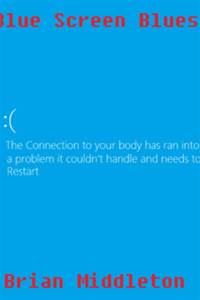
Blue Screen Blues
When Ryan Glasser, (an emo kid by heart) kills himself after having a good day at school turn horribly bad, he is forced to stand before his maker for final judgment of his soul. With Ryan Thinking life was just a game he could just end and throw away without any consequences, he is offered a deal to live his next life in a real-life RPG world full of swords, magic, misery, memes, and Mondays with nothing to help him along the way but a magical cellphone full of his music to get by in his afterlife. A real-life RPG you say? That sounds like perfect place to spend eternity! What’s the catch? Well first of all, this “Server” is in a nightmarish beta stage that has two trapped goddesses engaged in an everlasting brutal holy war between each other that has recently turned into a stalemate. Ryan is supposed to kill one of these goddesses somehow. (Technically there is a third goddess, but no one really cares about her) Secondly Ryan can’t die in this world without completing his mission here. If he does, straight to hell he goes. Thirdly, right from the start of spawning into this world, he has an annoying clingy emo/scene cat-dog rogue girl fall in love with him. This would be great in all If Ryan didn’t hate furries. Ryan will realize no matter how hard he tries he just can’t lose this clingy disaster. Forth: Living in an RPG world is great and exhilarating but when the class you choose to roll seems to be just as emo as you are, interesting things are going to happen. You better hold on tight; destiny holds in store for Ryan a Twisted Romance, tons of betrayal, a life full of dark twists and turns, and an adventure that will make or break him in this strange new world. Welcome to Lectioterra Adventurer! (Please DO NOT buff the Raid boss) (Please note i am quite aware that book one was written with quite a few thousand errors. I took a break from writing for ten years and had to relearn a lot of things. I learned quite a lot from writing 100+ chapters so far. I will go back and edit book one’s chapters after I get book two finished. If you all want to point out the errors in the earlier chapters I will gladly edit those things ASAP)
8 141 - In Serial19 Chapters
Aphmau FNAF crossover
Unlike other FNAF aphmau marionette story's mine is different but you have to read to find out Kekekeke
8 132




 Prev Chap
 Next Chap
 Chap List
 Boy
Boy Girl
Girl